firefox
Use Firefox's Local Mode to test local files without having to set up a web server.
Certain web APIs require to use a web server to work properly. For example, navigator.clipboard requires a secure context (HTTPS or localhost). Many web projects have a local dev server built-in which, once started, lets you access your site locally via http://localhost:8080 or similar. However, sometimes you just want to test a simple HTML file without having to set up a full project or starting a local web server.
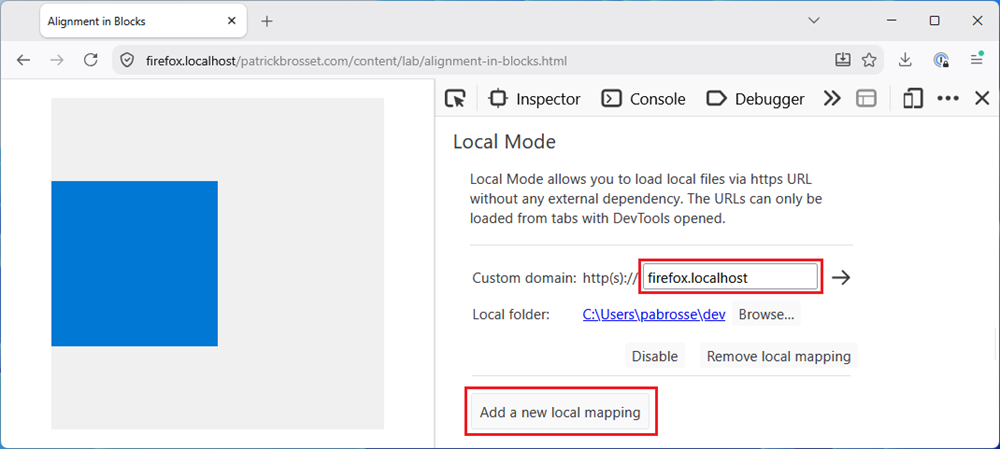
In Firefox, you can use Local Mode to map a domain of your choice to local files:
-
Open DevTools.
-
Click Customize Developer Tools and Get Help (...) > Settings in the top right corner of DevTools. Or, press F1.
-
Under the Local Mode section, click Add new local mapping.
The file picker opens.
-
Select the folder which you want to serve locally.
A new mapping entry appears in the list.
-
In the Custom domain text field, either use the default
firefox.localhostvalue, or enter another custom domain of your choice.
Now, whenever you have DevTools open and visit https://firefox.localhost (or your own custom domain), Firefox serves the file from the folder you selected.